


Connecting to the FUS WiFi
You may have previously joined the WiFi using a single-use password created using your login details. This system has been shut down, so you'll need to connect as if you have a new device.
If you are a new student, you can prepare for your first day at FUS by setting up your WiFi connection from the comfort of your home! Simply use your home WiFi and follow the instructions below. Please note, only students in Sixth Form or those with computer access arrangements are able to use the school WiFi.
If you have already followed these steps but see a Broadband4 "access is restricted" page with a pink background when browsing, simply login with your school username and password at the bottom of that page and wait a few seconds for connection to return.
Have you connected to the WiFi before?
Instructions
What type of device do you want to connect?
To connect to the FUS WiFi you will need to download a Network Profile, which will grant you access to FUS | BYOD, and a WiFi Security Certificate, which will allow you to browse the web and receive notifications while connected to the network.
The process is slightly different depending on what type of device you are using. Select your device from the below options.
What type of device do you want to connect?
You will need to download and install a WiFi Security Certificate, which allows you to browse the web and receive notifications using the school's WiFi connection.
The process is slightly different depending on what type of device you are using. Select your device from the below options.
Installing the FUS | BYOD Network Profile on iPhone or iPad
Note: if you want to connect an Apple Macbook, please see the IT Support team. We would need approximately 5-10 minutes of your time.
- Open your device's network/internet settings and connect to the WiFi named FUS | Connect
- Open the browser on your device - use Safari only.
- In the URL bar type fernup.dorset.sch.uk/information/join-wifi
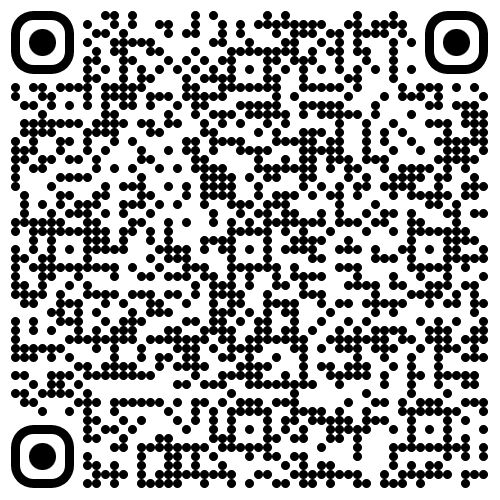
or use your device to scan the QR code here:
- Tap
- You may see a login page from Microsoft. Enter your school email and password for this and sign in.
- select
- Tap then
- Open your device's Settings again. On the left side of the screen above the General settings you should see Tap this.
- Tap and enter your device's passcode when prompted.
- Then tap as and when prompted, then
Installing the WiFi certificate on iPhone or iPad
Note: if you want to connect an Apple Macbook, please see the IT Support team. We would need approximately 5-10 minutes of your time.
- Open your device's network/internet settings and connect to the WiFi named FUS | Connect
- Open the browser on your device - use Safari only.
- In the URL bar type fernup.dorset.sch.uk/information/help/#wifi and click on the QR code
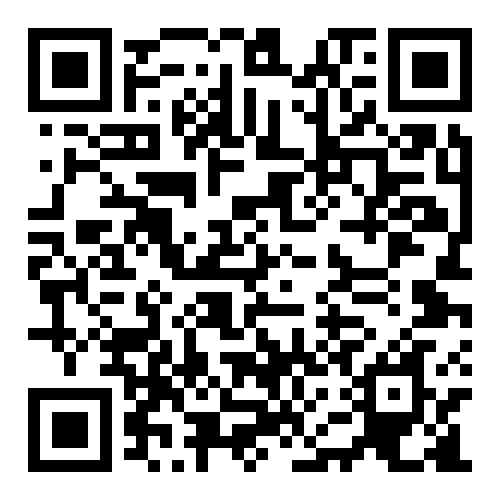
or use your device to scan the QR code here:
- Tap then Close.
- Open your device Settings. On the left, above the General section, tap
- Tap and enter your device passcode.
- Tap then tap
- On the left of the screen, tap
- Tap and scroll to the bottom of the page.
- Tap
- Tap the toggle to GREEN on the certificate named Broadband4 Web Filtering Platform.
Installing the FUS | BYOD Network Profile on Android devices
- Open your device's network/internet settings and connect to the WiFi named FUS | Connect
- Open the browser on your device - use Chrome, Firefox or your device's built-in browser only.
- In the URL bar type fernup.dorset.sch.uk/information/join-wifi
or use your device to scan the QR code here:
- Tap
- You may see a login page from Microsoft. Enter your school email and password for this and sign in.
- select
- Tap on the pop up. You should see the message "Ferndown Upper School credentials have been added to Wi-Fi saved networks."
- Tap
Installing the WiFi certificate on Android devices
Note: Some Android devices may be a little more complex. If these instructions can't be followed, please see the IT Support team.
- Open your device's network/internet settings and connect to the WiFi named FUS | Connect
- Open the browser on your device - use Chrome, Firefox or your device's built-in browser only.
- In the URL bar type fernup.dorset.sch.uk/information/help/#wifi and click on the QR code
or use your device to scan the QR code here:
- Download the file. You may see a message: "Install CA Certificates in Settings" after the download is finished. Close this message/
- Open your device's settings again, and then use the search function or click the magnifying glass icon to search "CA Certificate"
- Click on the option and then select CA Certificate as the type of certificate.
- Select and input your device's passcode when prompted.
- Select the file BB4.crt in your downloads folder, within the folder which is automatically opened.
- Click >
Installing the the FUS | BYOD Network Profile on Windows devices
Note: You must have an administrator account on your device to install this. If you are connecting an Apple Macbook or a Chromebook, please see the IT Support team for assistance.
- Open your device's network/internet settings and connect to the WiFi named FUS | Connect
- Open the browser on your device - use Chrome, Firefox or Edge only.
- In the URL bar type fernup.dorset.sch.uk/information/join-wifi
or use your device to scan the QR code here:
- Tap
- You may see a login page from Microsoft. Enter your school email and password for this and sign in.
- select
- Select on the pop up, and save to your Downloads folder.
- Double-Click on the downloaded file in your File Explorer.
- Follow the installation wizard.
Installing the WiFi certificate on Windows devices
Note: You must have an administrator account on your device to install this. If you are connecting an Apple Macbook or a Chromebook, please see the IT Support team for assistance.
- Open your device's network/internet settings and connect to the WiFi named FUS | Connect
- Open the browser on your device - use Chrome, Firefox or Edge only.
- In the URL bar type fernup.dorset.sch.uk/information/help/#wifi and click on the QR code
or use your device to scan the QR code here:
- Select on the pop up, and save to your Downloads folder.
- Double-Click on the downloaded file in your File Explorer.
- Click During this process, you may be asked for your username and password. Use your name and password as associated with your device, NOT your FUS credentials.
- Select and then click
- Select the SECOND option: "Place all certificates in the following store", then
- Select the SECOND folder: "Trusted Root Certification Authorities", then click
- Click then click
Final Step
Now, all you need to do is disconnect from FUS | Connect
and connect instead to FUS | BYOD
Then, open the browser again on your device. You will see a Broadband4 "access denied" screen with a pink background. Don't panic! Simply log in on this page with your school username and password.
Congratulations! You are now connected to the school WiFi. If you have any questions or encounter problems with this setup, see the IT Support team in their office.
FAQ
If you still have questions, or something isn't working, feel free to see the IT Support team outside of your lesson times.
QR Codes
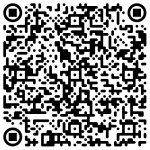
FUS | BYOD Network Profile download
Broadband4 Web Security Certificate download
Ferndown Upper School provide free WiFi access to:
- SEND students with a loan laptop
- Sixth Form students
- Staff.
Please note: that joining the WiFi is a two step process and you must also follow the guidance further down the page titled Security Certificate For WiFi Access.
To Join the WiFi:
On the device you want to join:
- Open an incognito or private browsing session and head to the address: https://fernup.dorset.sch.uk/information/join-wifi
- You will be redirected to the screen shown below:
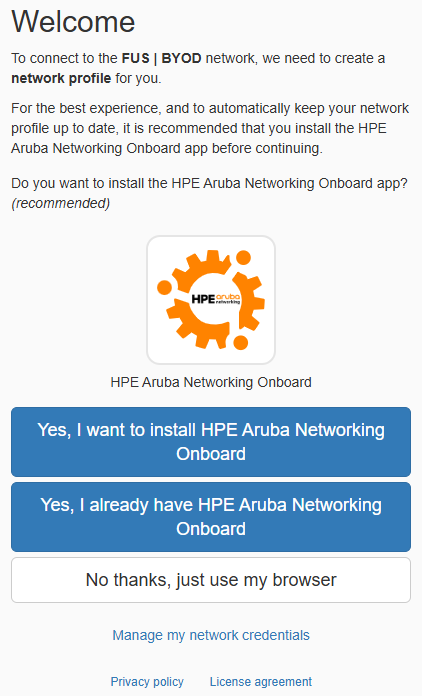
Note: you can do this from anywhere with an active Internet connection, even at home.
- Tap or click on where it says No thanks, just use my browser
- Sign in to Microsoft using your school email address and password when prompted
- A profile file will then download
- If on a Windows laptop, simply run it after it’s downloaded, click on FUS | BYOD to connect and your device should then automatically connect to FUS | BYOD (and may display as Ferndown Upper School once connected) from then on
- If on an Apple iPhone or iPad, open the settings app, tap on where it says profile downloaded, follow the instructions through until it says done, follow the instructions through until it says done – then open Wi-Fi in settings and tap on FUS | BYOD to connect (your device will automatically connect from then on) – https://support.apple.com/en-gb/102400
- If on an android device these are a bit more involved, you have to install the WiFi certificates from the settings app on your device, pop in and see us if unsure and we can assist.
- If you’re using an Apple Mac – download the profile, then open system settings, go to Privacy & Security and select Profiles, double click the downloaded profile, click Install and enter your Mac administrator password when prompted. Connect to FUS | BYOD (your device will automatically connect from then on)
Note: On some devices such as Android Phones and Windows laptops the WiFi network may show as Ferndown Upper School once you’ve joined it, this is expected behaviour.
Note: You will still be required to:
- Have our web filtering certificate installed (guidance further down this page)
- Authenticate against the ‘pink screen’ – the block page you get when connecting for the first time, scroll down the page and click login, enter your school username and password (not the email part) and click login, wait a few moments and you should then have Internet access – this lasts for 7 days before prompting for authentication again.
If you’re unsure at all, pop in and see us and we’ll assist.